
Why Does GoHighLevel Conversation AI Keep Replying After My Team Already Answered?
HighLevel changed Conversation AI so a reply from Meta Business Suite puts the bot to sleep. Here is what that fixes, what it does not, and how to test it.
Learn moreHighLevel can now turn an n8n workflow JSON into a Managed Agent. Here is how the import works, what it changes, and which flows should stay in n8n.
Short answer: In Agent Studio, choose Import from, then n8n (Beta), and upload your n8n workflow export (.json) or paste the JSON. HighLevel maps each step to a trigger, a decision rule, a follow-up, an app connection or agent instructions, and labels every step Carried Over, Adapted or Not Possible. Nothing is created until you click Save as draft or Create & publish, and your n8n credentials and API keys never come across, so you reconnect every app before going live.
Prefer to watch? The 42-second version
GoHighLevel can turn your n8n workflow JSON into a Managed Agent. Here is where the importer lives and what to fix before you publish.
Watch it on its own page, with the transcript.
The importer sits inside the Managed Agents builder, not in Workflows. HighLevel's changelog entry for the n8n import gives the path and labels it a beta. The steps are short:
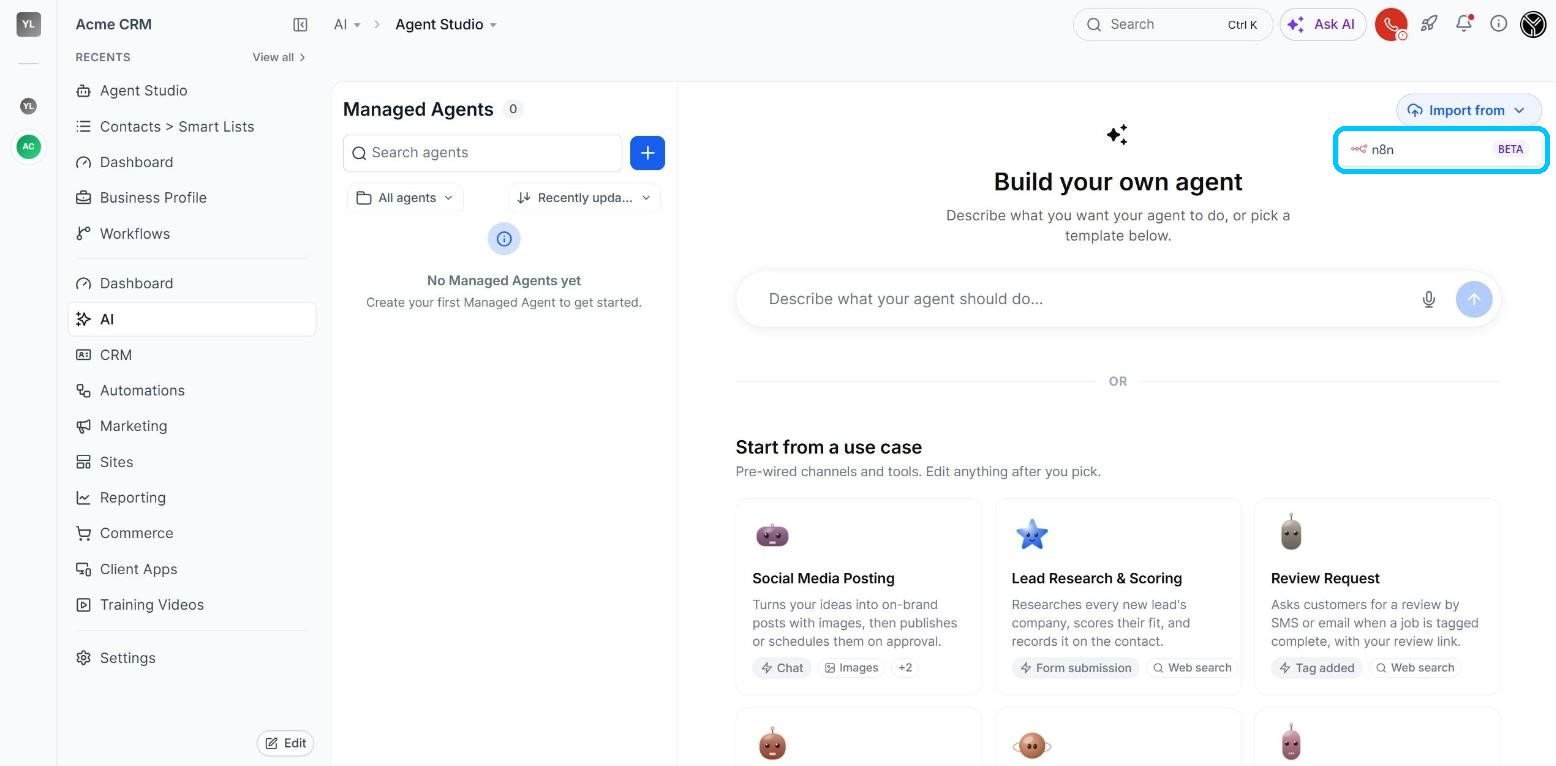
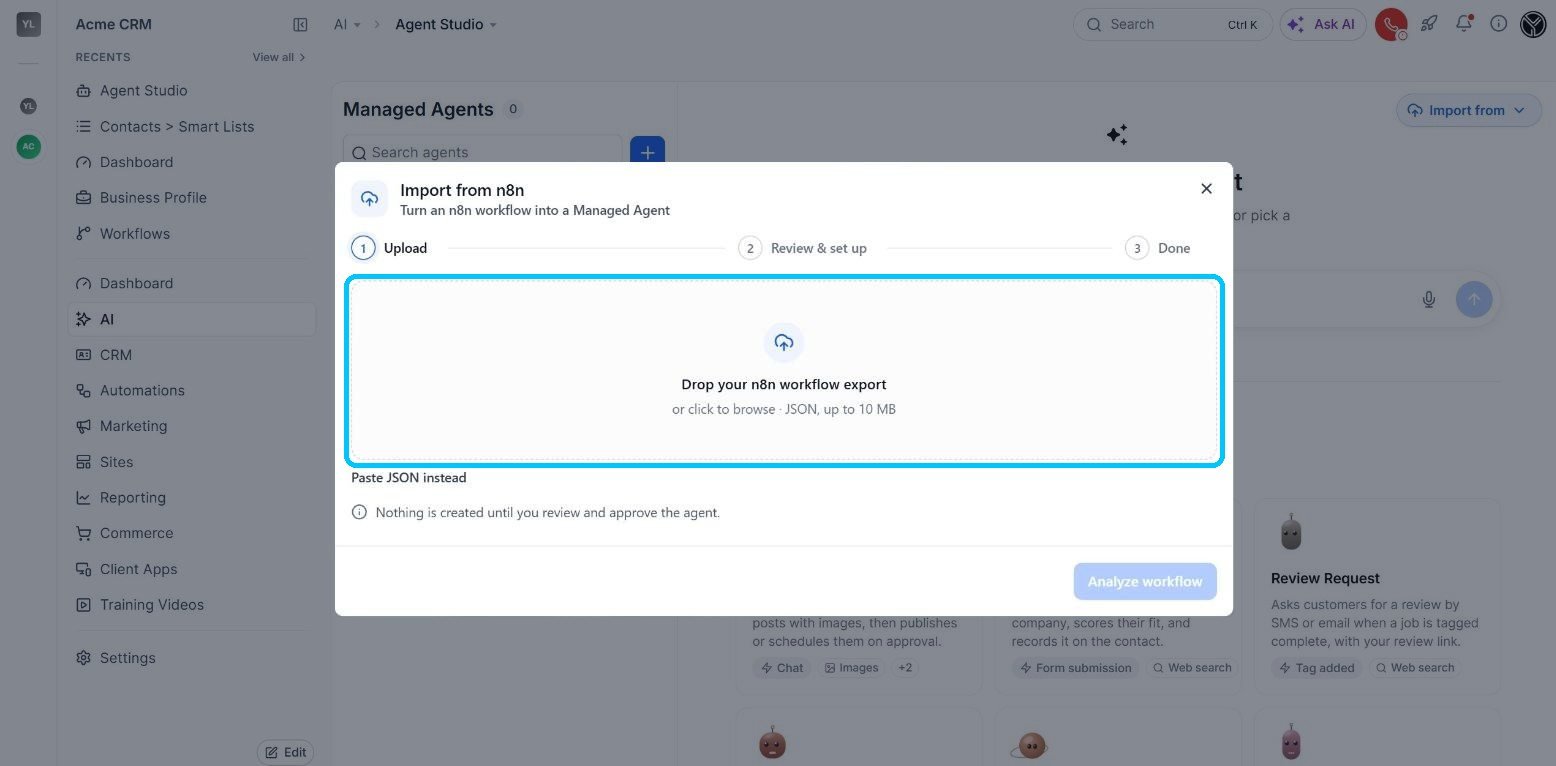
Imported agents land in a folder called Imported from n8n. After that you keep editing them in the AI Builder like any other Managed Agent. If you have not tested an agent before, our guide on testing in the AI Builder before you publish covers the habit that saves you here.
The importer does not copy nodes one to one. It translates an n8n flow into the way a Managed Agent works: a trigger, instructions the AI follows, and tools it can call. Here is how HighLevel describes the mapping.
| In your n8n workflow | What it becomes in HighLevel | What to check |
|---|---|---|
| Webhook, schedule, form or appointment trigger | A supported HighLevel trigger | Webhook URLs change, so update whatever was sending to n8n |
| IF and Switch nodes | Agent decision rules | Rules written as instructions, so test the edge cases |
| Wait nodes | Scheduled follow-ups | Timing and business hours |
| AI nodes (prompts, chat models) | The agent's own reasoning and instructions | Your old prompt may be reworded |
| App and HTTP request nodes | Marketplace connections, CRM actions or API calls | Reconnect each app, because credentials are not imported |
| Anything with no HighLevel equivalent | Marked Not Possible | Rebuild it yourself or keep it in n8n |
Third-party coverage, including GoHighLevelNews, reports that some steps become MCP connections (a Google Drive MCP is the example given) and that the importer builds a setup checklist for outside apps. HighLevel's changelog talks about Marketplace connections and API calls rather than MCP, so treat the MCP detail as reported.
A few things a business owner will ask about are not published anywhere we could find. Which plans and sub-account types get the importer has not been confirmed. There is no stated file size limit or node count limit, and no published list of n8n node types that always end up as Not Possible. Coverage also disagrees on when it shipped: one tutorial ties it to the late October launches, while news coverage picked it up on Nov 23, 2026.
What is known is how Managed Agents bill once they run. Each chat session, trigger event or scheduled run counts as a run against your AI Employee plan or the wallet, as described in third-party walkthroughs of Agent Studio. A workflow that fired thousands of times a day in n8n will fire just as often as an agent, so price that out before you move a busy flow.
The import is a good fit for flows that are really about a contact: a form comes in, an AI writes a reply, a wait step, a follow-up, a tag. Those are the jobs a Managed Agent is built for, and moving them means one less server to host and one less login to maintain.
Keep n8n for flows that are mostly data plumbing. Our usage-based billing system between GoHighLevel and Stripe runs on n8n and Supabase because it counts usage, writes to a database and reconciles invoices on a schedule. That is exact, repeatable math, and you do not want an AI reasoning its way through it. The same goes for flows that loop over large lists, transform files, or call several systems in a strict order where one failure must stop everything.
A simple test: if a person reading the flow would describe it as a conversation with a customer, import it. If they would describe it as moving records between systems, leave it in n8n or a custom API. Our comparison of Zapier vs n8n vs custom API for GoHighLevel goes deeper on that split.
Import into a test sub-account first if you have one. Save as draft, never publish on the first pass.
Do not run both at once on live leads. Two systems answering the same form is how customers get duplicate texts.
We would list every n8n workflow you pay to host, sort them into customer conversations and data plumbing, and import only the first group into drafts. Then we test each draft against real scenarios, reconnect the apps and retire the n8n version once the agent has run clean. If you want that done for you, our custom integrations team handles both sides, the agents in GoHighLevel and the flows that should stay in n8n. Book a free 30-minute call through our contact page and bring your workflow list.

Yaakov (Koby) Oranski, Founder and CEO of Yotomations
Certified GoHighLevel Admin and Partner. Koby designs CRM migrations, two-way integrations, billing systems and AI agents for service businesses, and writes from the engagements described on this site.
Yes, as a beta in Agent Studio. Go to AI Agents, then Agent Studio, click Import from and choose n8n (Beta), then upload the workflow .json or paste it. HighLevel converts it into a Managed Agent draft that you review before saving or publishing.
No. HighLevel states that existing n8n credentials and API keys are never imported. You reconnect each app inside HighLevel and confirm webhook URLs and external IDs before the agent goes live.
They are marked Not Possible in the import review instead of being skipped silently. You either rebuild that part by hand in HighLevel or keep that piece of the process running in n8n.
Only after the imported agent has been tested on every branch and has run cleanly on live leads for a while. Switch the n8n workflow off but keep it, and keep n8n for data-heavy jobs like billing or record syncing that an AI agent should not reason through.
HighLevel changed Conversation AI so a reply from Meta Business Suite puts the bot to sleep. Here is what that fixes, what it does not, and how to test it.
Learn more
After-hours answering first, qualification second, full booking third. A rollout order that protects your reputation while it grows your calendar.
Learn more
The AI Employee bundles HighLevel's native AI: Voice AI, Conversation AI, Reviews AI, Content AI, Funnel AI and the Workflow AI assistant. What each one is good for, what to leave off, and how we roll it out.
Learn moreBook a 30-minute call. We look at the account live and tell you what is broken, what we would fix first and what it would cost.
No pitch deck. We look at your current setup and tell you what we would do and what it would cost.Need more than GoHighLevel? Yotomations, our parent company, also builds AI agents, custom software and websites.