HighLevel Black Friday + Cyber Week, Nov 23 to Dec 6: 50% off your first 3 months, plus upgrade and add-on deals and a bonus from Yotomations.HighLevel 50% off for 3 months, Nov 23 to Dec 6.Find my deal
Set the Business Profile Time Zone Before You Build a Sub-Account
A new sub-account can carry the wrong time zone, so set it in Settings > Business Profile first and your time-based automations run on the clock your client actually keeps.
Every sub-account has a Time Zone field in Settings > Business Profile. When you spin up accounts from a snapshot or in a hurry, it is easy to leave it on whatever it started with and move straight to building.
It matters because time-based features lean on that clock. A workflow time window that keeps texts inside quiet hours, a wait step that ends at a set time, and the timestamps you read in reports all depend on which time zone the account thinks it is in. If a plumber in Texas has an account set to Pacific, a follow-up you meant for 9 AM can land at 11 AM, or a text meant for the morning can go out earlier than you planned. Nobody sees an error. The messages just arrive at odd hours, and the client blames you.
Make the check part of your onboarding list, right next to the business name and the phone number. Do it before you build, not after the first complaint.
One caveat: individual users also have their own calendar and profile preferences, so if a time still looks off after you fix the Business Profile, check those too. Then run one test contact through a workflow and read the time in the execution logs.
How to use it
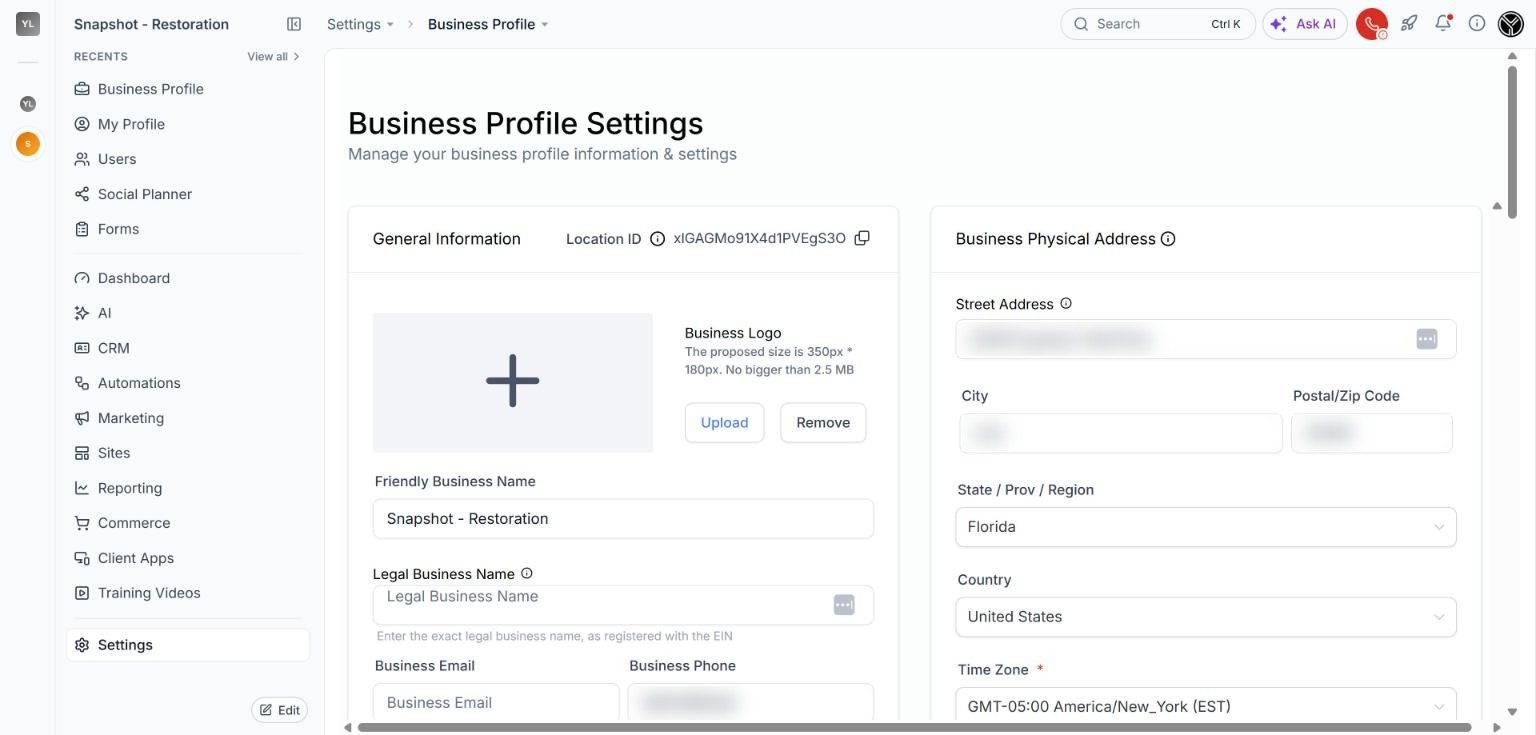
Open the client's sub-account and go to Settings > Business Profile.GoHighLevel › Settings › Business ProfileSettings > Business Profile, the page that holds the sub-account's business details and time zone.
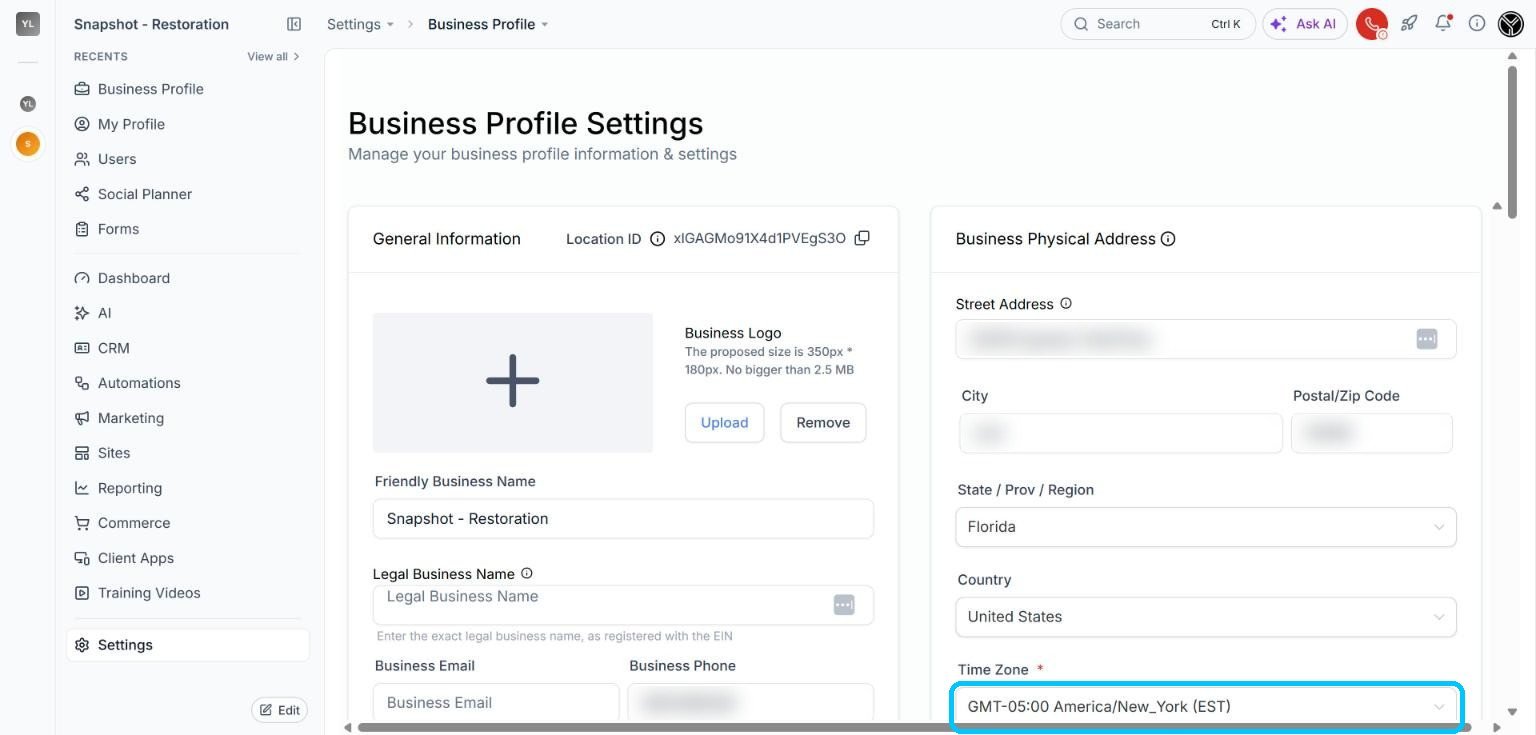
Find the Time Zone field and choose the zone where the client actually works.GoHighLevel › Settings › Business ProfileFind the Time Zone field and pick the zone where the client actually works.
Click Save at the bottom of the page.
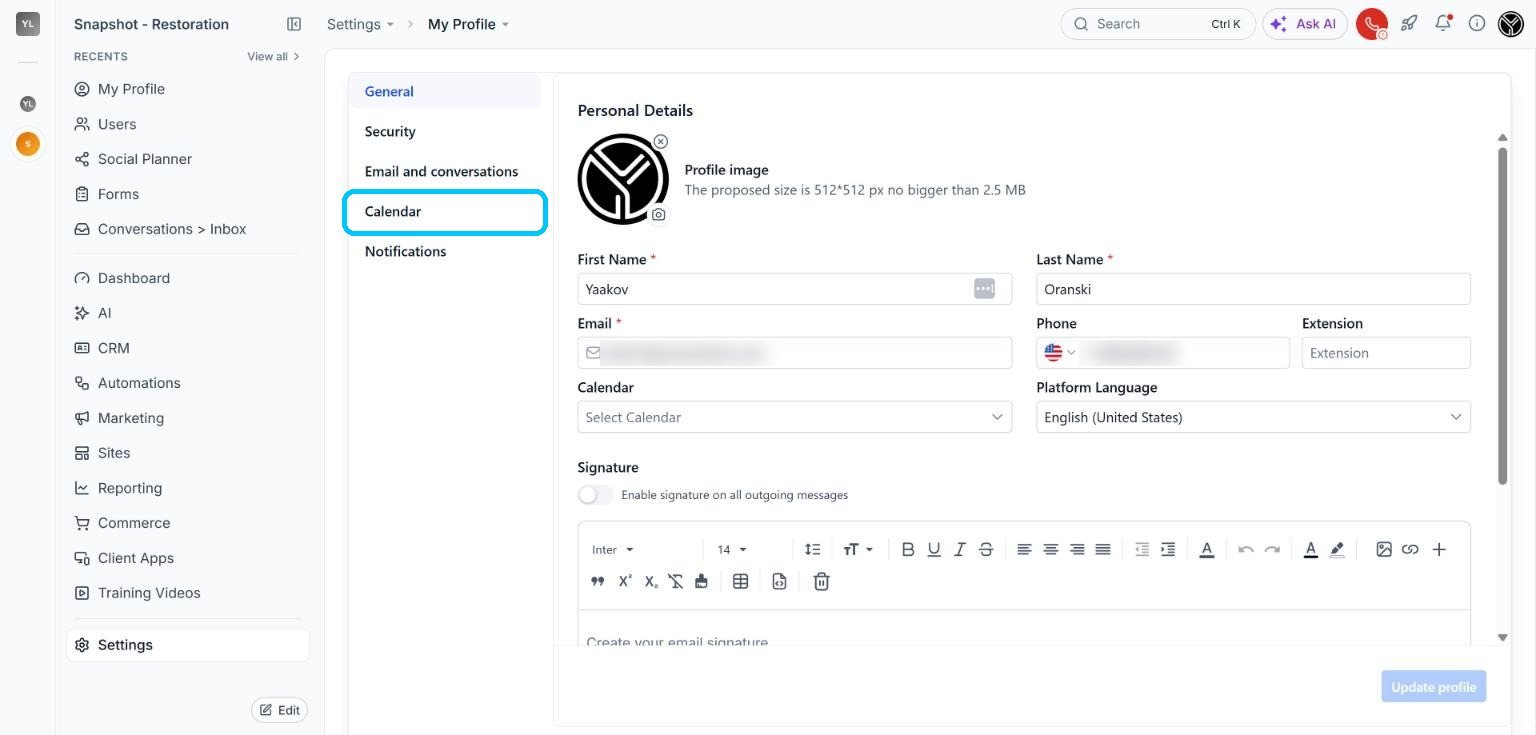
Check My Profile and your calendar preferences if any time still looks off.GoHighLevel › Settings › My ProfileIn My Profile, open Calendar to check your own calendar preferences.
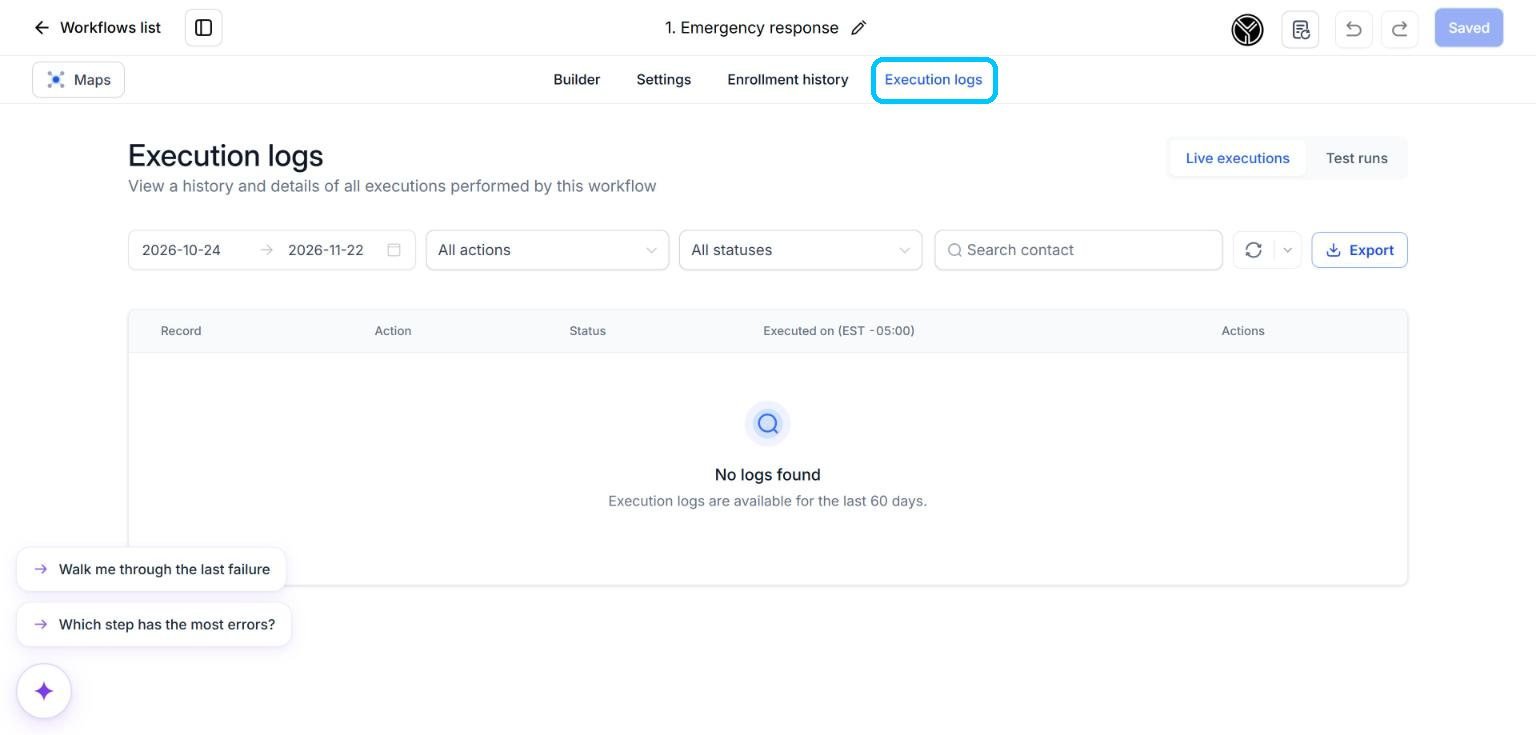
Run one test contact through a workflow and read the time in Execution logs.GoHighLevel › Automations › Workflows › (open a workflow) › Execution logsOpen the workflow's Execution logs and read the time each action ran for your test contact.
Who it helps
Agency owners onboarding new sub-accounts, and service businesses whose texts or reminders seem to go out at the wrong hour.
The newsletter: one short GoHighLevel tip a day or seven every Monday, plus new articles as they publish. Written by a certified admin, not scraped from release notes.
Connect your Gmail or Outlook under Settings > My Profile > Email Two-Way Sync so supported incoming email conversations show up in the CRM, where workflows can act on them.
The Attendee App in the Client Portal lets guests buy tickets, browse sessions and get push notifications, so you stop juggling separate tools for each.
| 1 min readRead the nugget
Want this built in your account?
Book a 30-minute call. We look at your GoHighLevel account live and tell you what we would fix first and what it would cost.